Enable receiving port on Splunk server
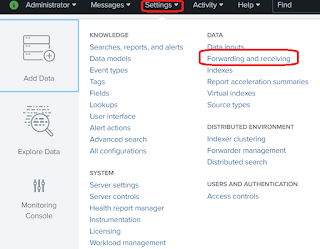
Prerequisite: Make sure the port number which you are adding is open and allowed to receive data. There are multiple ways to accomplish this, lets go one by one: CLI: Simplest and easiest way to add a port is via command line interface, you just need to traverse to $SPLUNK_HOME/bin directory and using the splunk universal binary you can do that. [splunk@ip bin]# ./splunk enable listen 9999 Splunk username: admin Password: Listening for Splunk data on TCP port 9999. Above command will require your Splunk admin credentials for adding/enabling the mentioned port number. PS: If you want to disable it simply use disable instead of enable i.e. ./splunk disable listen 9999, basically what it does it adds a flag in your stanza and mark it as 1 < disabled = 1 >. Basically under the hood what is does, it creates a stanza in your inputs.conf [splunktcp://9999] connection_host = ip Config file: Another way to do it, is via ma...
