#3 Splunk sub(Commands) [eval, round, trim, stats, ceil, exact, floor, tostring]
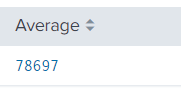
ROUND: Eval with round takes one or two numeric arguments, returning 'first value' rounded to the amount of decimal places specified in 'second value'. By default it will remove all the decimals. Example: index=idx_messages sourcetype=linux_logs | eval new_rt= trim ( replace (response_time, "ms.", "")) | stats avg (new_rt) as Average | eval Average= round (Average) Remove all the decimal values. Example: | eval Average= round (Average,3) Rounded the value up-to 3 decimal places. Example: | eval Average= ceil (Average) Round the value up-to the next highest integer. Example: | eval Average= exact (Average) Give the output with maximum possible number of decimal values. Example: | eval Average= floor (Average) Round the value down to the nearest whole integer. Apart from this, there are other functions as well which are used by eval command, for instance pi (), sqrt () etc. TOSTRING: Hel...
